
For anyone waiting to hear back on a mortgage or personal loan application, few things are more frustrating than waiting without knowing where your application stands. MeridianLink’s loan tracking tools were created to take away this uncertainty and give consumers and lenders peace of mind throughout their loan origination process. MeridianLink’s loan origination software is used by thousands of banks, credit unions, and lending institutions. This guide will showcase how and where to find your loan status, provide clarity on how conditions work at each stage of the loan process, and what to do if the portal is frozen or not working properly.
What is MeridianLink, and Why Does Status Tracking Matter Here?
MeridianLink is a cloud-hosted loan origination service utilized by financial institutions to track loan applications, underwriting decisions, collection of required documents and closing for mortgages and other types of loans (consumer and indirect). The borrower typically interacts with one of two different borrower-facing components; the MeridianLink Portal (the application & document collection hub) or the Consumer Portal depending on your lender’s configuration (lending institution). Borrowers can view Meridian mortgage loan status updates, requested documents, and outstanding tasks, while lenders retain access to additional internal workflow information. Meridian loan status tracking represents a huge change from when borrowers would have had to wait on the telephone for an update regarding their file.
How to Track Your Loan Status Step by Step?
Generally, the layout of a borrower relative to credit decision is similar among the majority of lenders that use the MeridianLink platform. The steps of digital lending loan status tracking below will be common among the majority of MeridianLink customers:
- Use the secure link provided by your lender in an email when you submit your application to log into the system.
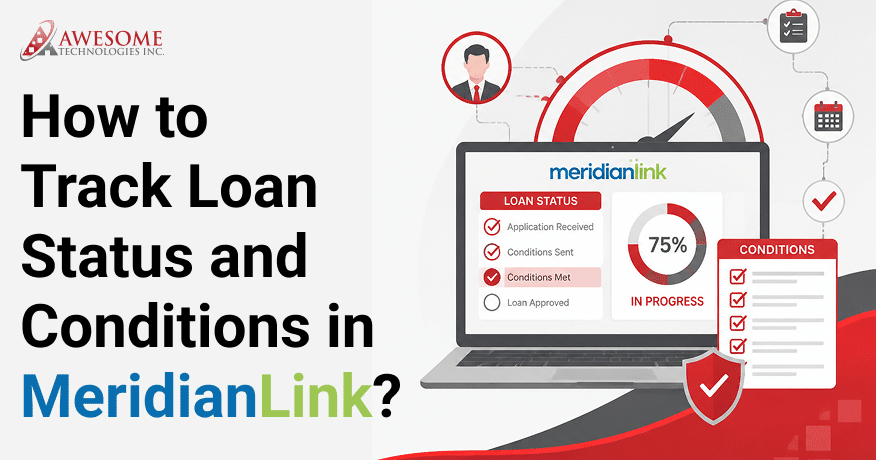
- Once logged in, you can see the current stages of your loan on the borrower dashboard under “Dashboard”;
- Click on “Conditions” or “Tasks” to view all remaining items needed by the underwriter to continue moving your loan forward.
- Submit the documents that are being requested, by uploading them to the borrower’s loan portal.
- Check for notifications from your lender regarding loan status changes and new conditions that were added; most lenders provide borrowers with automated SMS and/or Email notifications.
Understanding Loan Conditions and Why They Pile Up?
A loan condition is a requirement that must be satisfied before a loan can move to the next stage of approval, closing, or funding. It is necessary to take care of Meridian condition management. Almost every loan has at least one condition. Conditions can generally be categorized into the following types:
| Condition Type | Common Example | Typical Owner |
| Prior-to-approval | Updated pay stub or bank statement | Borrower |
| Prior-to-closing | Homeowner’s insurance binder, final title work | Borrower / Title company |
| Prior-to-funding | Verbal verification of employment, final CD acknowledgment | Lender / Processor |
| Post closing | Recorded deed, investor delivery conditions | Lender |
What to Do When Status Updates Seem Slow or the Portal Won’t Load?
At times, the problem is not even with your loan file itself, but rather the platform itself. If your document upload did not seem to work or your dashboard did not refresh, be sure to check if there are any widespread issues first before assuming your loan officer missed out on something. Sometimes, delays can occur due to technical problems rather than because of your loan file in itself.
Appropriate MeridianLink Integration services can help reduce synchronization issues and improve the reliability of status updates across connected systems. If your documents are failing to upload properly or if your dashboard is not updating for some reason, you should as well reach out to your lender directly and/or check any service status information they provide before assuming there is an issue with your application.
To Conclude
Using MeridianLink to follow the development of your loan provides you with more insight into the lending process and does a lot to resolve the confusion that borrowers experience while waiting for approval. If you continually check your dashboard, respond in a timely manner to conditions and upload documents through the portal, you will help keep your application moving smoothly through processing/underwriting/closing.
Knowing what each status means will help you communicate more effectively with your lender, should there be any questions. By being proactive in using MeridianLink (whether for a mortgage, personal or auto loan), you can minimize delays, uplift transparency and speed up the time it takes to fund your application. However, one cannot deny the importance of Meridian consumer loan tracking and what it ultimately means in a competitive mortgage world.
Want to make the loan process even faster and more efficient? Explore MeridianLink’s automation capabilities to simplify workflows, improve borrower communication, and accelerate loan approvals from application through funding.
Frequently Asked Questions
1. Why hasn’t my loan status changed in several days?
Underwriters often process batches of mortgage applications, so it is common for loans to be ‘in-processing’ for several days while the underwriter is reviewing all documentation. You should always check your conditions list for any new items before making an assumption that your application is not being worked on.
2. Can I see exactly who is reviewing my file right now?
No, you will only be able to see your loan status and the conditions connected to your loan on MeridianLink’s consumer-facing website. But you will not be able to see the internal queue (the order of application reviews) or any staff member assignments currently reviewing your loan file.
3. Do I get notified the moment a new condition appears?
Many lenders configure automatic email or text notifications when new conditions are added, but notification settings vary by lender. They enable this so that they can reduce phone calls and increase the speed at which they are able to turn documents around.
4. How do I check loan status in MeridianLink?
The exact status names vary by lender, but the dashboard typically shows where your loan is within the application, review, approval, closing, or funding process. The loan’s current status will be shown on the Dashboard or Summary Page. You can see if your loan application has been submitted, is currently in Review, was Approved, is Pending conditions, or is Currently Funded.
5. How do I check loan conditions in MeridianLink?
To check your conditions, open your file and navigate to the Conditions or Tasks section of the Mortgage application. This section will show you all outstanding items that need to be completed for your loan to be processed. The outstanding items include items like income documentation, bank statement(s), identification, etc.
6. What are loan milestones in MeridianLink?
Loan Milestones are major milestones that will allow you to track the loan’s progress from Application to Closing. Status names vary by lender but commonly include stages such as Application Received, Processing, Underwriting, Conditional Approval, Closing, and Funding.
7. How do I manage loan conditions in MeridianLink Mortgage?
You should be regularly reviewing all the outstanding conditions for your loan, uploading any requested documentation, reviewing outstanding conditions, uploading requested documents, and responding instantly to lender requests. By always remaining up-to-date on all conditions you are helping keep your loan processing towards approval and closing.