
Banks previously relied on paper-based documentation for mortgage lending, but modern lenders now use Loan Origination Systems (LOS) to streamline processing. These systems allow lenders to streamline the entire loan process into one platform for credit checks, document verification, and loan approval.
Encompass helps loan officers create loan files, monitor application progress, and generate required documents within a single platform. It also provides users with compliance support with respect to the regulatory requirements for mortgages, such as TRID, RESPA and HMDA.
Loan officers that use Encompass loan origination system on a daily basis perform the tasks of managing their loan pipeline, communicating with underwriters to ask about their applications and checking the status of an application. The Encompass system also eliminates errors that occur when processing loans as it automates all repetitive tasks and stores all relevant supporting documentation through its eFolder document management system.
This Encompass mortgage system guide will explain how to effectively utilize Encompass, demonstrate the benefits of using Encompass for loan officers on a daily basis and outline ways that Encompass can improve productivity in today’s mortgage industry.
What is Encompass Mortgage Software?
Encompass is an all-in-one cloud-based Origination System (LOS) developed by ICE Mortgage technology that allows lenders to handle every aspect of a mortgage transaction in one location. The software assists lenders to streamline various lending processes within a single system. Rather than relying on multiple systems and tools to keep track of their loans, lenders now have the ability to manage and access all loan-related data from one system.
Who Uses Encompass?
Encompass is used by a variety of individuals within a lending organization.
- Loan officers will use Encompass to manage the statuses of borrower applications and pipelines.
- Loan processors will use Encompass to review and verify the documentation associated with each loan.
- Underwriters will use Encompass to assess borrower’s credit, income, and risk.
- Compliance personnel will ensure that each loan is in compliance with the applicable regulations.
- Secondary-market personnel will prepare each loan for sale to the investor.
- Operations managers will monitor the efficiency of their lending unit’s workflows.
- Focused users: Mortgage banks, credit unions, enterprise lenders, correspondent lenders
Core Platform Components
The Encompass loan origination software consists of five core software program modules, including:
- Encompass SmartClient – This is a powerful desktop-based application that enables the detailed processing of all aspects of a loan file.
- Encompass Web – This enables users to access Encompass securely over the internet on any device
- Encompass eFolder – This provides secure storage of all documents associated with the loan.
- Encompass Partner Connect – This marketplace enables a direct and secure interface to integrate with credit bureaus, appraisal companies and other vendors.
- Encompass ICE Product & Pricing Engine (PPE) – This software allows lenders and loan officers to have the ability to compare different types of mortgage products and obtain automatic pricing for them.
Benefit Mapping
Feature → Business Outcome → Productivity Impact.
| Feature | Business Value |
| Pipeline Dashboard | Quicker loan monitoring |
| PPE Pricing Engine | Reduced quote time |
| Workflow Automation | Lower manual workload |
How Does Encompass Mortgage Software Work?
Today the process of lending for a homeowner is performed in stages. Each stage of the loan (i.e. order, provide, obtain, etc.) has verified information added to it before the loan proceeds to the next stage.
Loan Manufacturing Lifecycle in Encompass
There are six main stages in the lifecycle of a mortgage loan:
- Acquisition of the Borrower
- Application for the Loan
- Processing
- Underwriting
- Closing/Funding
- Delivery to the Secondary Market
Borrower Acquisition
This is the step where lenders get leads on potential borrowers. Leads can be collected from sources such as:
- CRM systems
- Marketing Campaigns
- Referral Partners
- Online Borrower Applications
Encompass will interface with these outside sources and will automatically load a borrower into Encompass’ Loan Pipeline from any of these sources.
Loan Application (URLA 1003)
The following are the important pieces of data collected:
- Employment History
- Income and Salary
- Financial Assets
- Description of Property
- Purpose and Type of Loan
This information is used to determine if the borrower meets the criteria to qualify for the loan.
Processing Stage
Examples of documentation that may be collected are as follows:
- Pay Stubs
- Tax Returns
- Bank Statements
- Property Appraisal Reports
The eFolder document management system stores all loan documents electronically.
Underwriting Stage
Encompass will link to appropriate Automated Underwriting Systems (AUS) such as Fannie Mae Desktop Underwriter or Freddie Mac Loan Product Advisor in order to:
- Evaluate Risk
- Determine Eligibility for Loan
Closing and Funding
Loan officers prepare closing documents by generating the Closing Disclosure (CD), obtaining borrower signatures, and completing funding steps.
Secondary Market Delivery
Encompass has built-in functions to facilitate:
- Investor Delivery Workflow
- Correspondent Lending Operations
- Compliance Validation and Audit Tracking
- Investor loan packaging
- Correspondent lending workflow
- Post-close audit tracking
Many beginner tutorials do not include the post-close step in your lending operations. However, it is critical when lending at larger quantities because there are many processes involved.
Key Encompass Features Of Encompass Mortgage Software
Loan Pipeline Dashboard
The loan pipeline dashboard will provide the loan officer with a single view of all of their currently active loan files. The loan pipeline will show
- The current stage of each loan
- How far each loan is through the milestone process
- Tasks that are due
- Alerts
- Borrower communication tracking
- Audit trail visibility
- Exception monitoring
Using this feature also allows the loan officer to follow many different files at once and respond to Encompass mortgage workflow changes and updates much more quickly.
Product and Pricing Engine (PPE)
Loan Officers are able to:
- Compare many different loan programs quickly through this function.
- Generate loan scenarios
- Review borrower qualifications with the PPE
- Lock an interest rate at any time.
By using the PPE function, loan officers reduce the amount of time spent calculating pricing, and as a result, speed up the process of providing quotes to borrowers.
Compliance Automation
Mortgage lending must follow strict regulations. Encompass helps lenders stay compliant by supporting rules such as:
- TRID (TILA-RESPA Integrated Disclosure)
- RESPA regulations
- HMDA reporting requirements
The software provides two functions which are compliance reporting and enforcement of workflow processes. The system requires lender-specific setup to achieve legal compliance according to its current design.
Document Management Using eFolder
All mortgage lenders need to comply with many different regulations regarding their lending practices. Encompass provides a way for lenders to remain compliant with rules such as
- The TILA-RESPA Integrated Disclosure (TRID) Rule
- RESPA Rules
- The HMDA Reporting Requirements
Automated compliance checks help significantly reduce the legal risks associated with lending and will also result in fewer delays in the processing of the loan.
Borrower Experience Tools
Encompass has implemented the following tools and/or functionality to make it easier for borrowers to communicate with their lenders:
- Submit an online loan application.
- Upload documents through a secure document upload.
- Receive automatic loan status updates.
- Utilize automated communication workflows.
KPI Performance Metrics Table
| KPI Metric | Before LOS Automation | After Encompass Implementation | Improvement Impact |
| Loan Processing Time | 35 – 45 days | 20 – 30 days | Faster closing cycle |
| Document Recovery Time | 15 – 20 minutes | <2 minutes | Operational efficiency |
| Manual Data Entry Mistakes | 8 – 12% | 2 – 4% | Compliance accuracy |
| Pipeline Visibility | Limited | Real-time dashboard | Management control |
| Borrower Communication | 24 – 48 hours | Automated real time updates | Customer Satisfaction |
| Underwriting Submission Speed | 3 – 5 days | Same day or next day | Risk evaluation speed |
| Audit Preparation Time | 5 – 7 hours | <1 hour | Regulatory readiness |
| Closing Document Generation | Manual | Automated | Settlement accuracy |
How Encompass Improves Loan Officer Productivity Metrics?
The following metrics illustrate typical improvements for enterprise lenders after implementing Encompass:
| Productivity Metric | Before Encompass | After Encompass | Improvement |
| Processing Time Reduction | 35 – 45 days per loan | 20 – 28 days per loan | 35 – 40% faster loan processing |
| Error Rate Reduction | 8 – 12% (Data entry and documentation errors) | 2 – 4% | 60 – 70% fewer errors |
| Pipeline Visibility Improvement | Limited, manual updates | Real-time dashboards and alerts | 100% real time visibility |
| Closing Speed Improvement | 7 – 10 days for final documents | 3 – 5 days | 50% faster closing cycle |
Key Drivers of Productivity
- Automated Encompass mortgage workflow milestones.
- Integrated credit and underwriting
- Centralized document management
- Real-Time pipeline dashboard
- Automated closing preparation
Impact: More time spent by loan officers during the advisory phase of lending, allowing for less time spent on manual entry and tracking tasks. This results in quicker turn-around time, better loan quality, and increased client satisfaction.
Step-by-Step: How To Use Encompass Mortgage Software?
Step 1 – Log Into the Encompass Dashboard
The Encompass Dashboard is the first step for Loan Officers and displays all of the information an officer needs to process loans. Upon logging in, a Loan Officer will be able to see their entire loan pipeline at-a-glance. This will include details on all active loan files, pending tasks, the loan milestone progress for each loan file, and system-generated alerts.
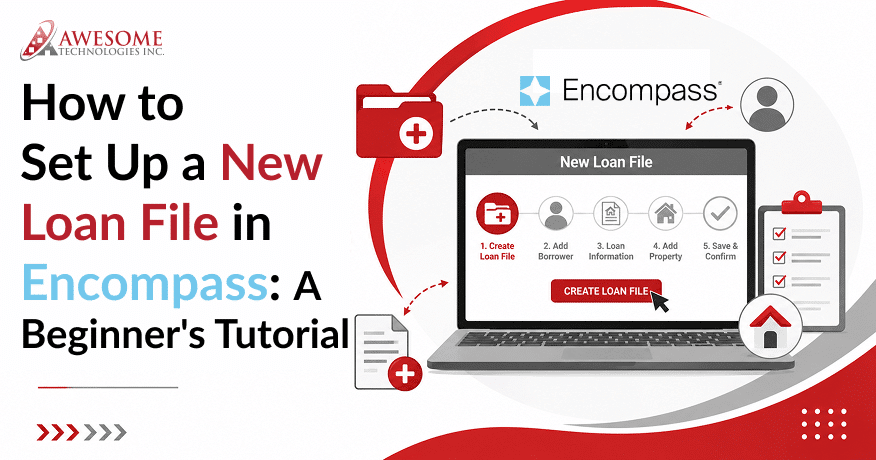
Step 2 – Create a New Loan File
Once a Loan Officer has logged into Encompass and has determined that they will be processing a loan for a particular borrower and property they will create a new loan record within Encompass for that borrower and property. The Loan Officer will enter the necessary borrower and property information such as a borrower profile, property address, loan type, loan amount, occupancy status.
Step 3 – Run Credit Reports
Encompass integrates with Credit Bureau Services to assist Loan Officers in evaluating a Borrower’s creditworthiness. It supports tri-merge credit reports by gathering data from multiple credit bureaus and compiling the data into one report. Indeed, Encompass has the capability to auto-import Borrower Liabilities from the credit report and will assist Loan Officers in calculating risk factors.
Step 4 – Submit File to Automated Underwriting
Once the credit review has been completed, the loan file is submitted to an Automated Underwriting System (AUS) such as Fannie Mae Desktop Underwriter or Freddie Mac Loan Product Advisor.
Step 5 – Generate Loan Estimates and Disclosures
Based on the results of the automated underwriting, the loan officer creates the Loan Estimate (LE) and any other required disclosures in accordance with TRID compliance timing regulations for borrowers outlining the cost of the loan and conditions associated with the loan.
Step 6 – Manage Conditions and Required Documents
Throughout the entire processing phase of the application, the lender collects required support documents (i.e., income verification, asset statements, appraisal reports) to complete the underwriting process. All documents are maintained electronically within the Encompass E-Folder system.
Step 7 – Prepare Closing Documents
The final phase of the loan application process includes creating the Closing Disclosure, identifying the appropriate funding amounts, and working with closing agents to facilitate compliance with funding and settlement requirements.
Encompass Integrations and Technology Ecosystem
Most simple software training focuses purely on the process of processing loans; however, enterprise lenders also rely heavily on integrations in order to develop a truly digital end-to-end mortgage workflow.
-
Credit Bureau Integrations
Encompass integrates with credit vendors that provide tri-merge credit reports sourced from Experian, Equifax, and TransUnion. By using Encompass with these three agencies, the lender can view borrower credit risk through merged credit data (tri-merge).
-
Appraisal Management Integrations
Encompass lets lenders to order and track appraisal through Appraisal Management Companies (AMC). Lenders can order appraisals through the Encompass platform and see appraisal processing status in real time. This process cuts down on communication that would be necessary to verify or validate values.
-
Mortgage Insurance Integrations
Lenders using Encompass loan origination software can obtain mortgage insurance quotes directly from other insurance companies through the application. Using mortgage insurance companies, lenders can obtain and compare various mortgage insurance options relative to the borrower’s loan structure.
-
CRM and Marketing System Integrations
The platform will enable connections with customer relationship management (CRM) and marketing systems, such as Salesforce, mortgage-specific CRM solutions, and marketing automation tools.
-
Title, Settlement, and Closing Integrations
Loan files can be connected to title companies, settlement agents, and electronic closing (eClosing) providers. This enables secure exchange of documents electronically, faster coordination of closings, and improved accuracy of settlement documents. Integrations will enable the creation of a fully integrated digital lending platform where data flows throughout the entire mortgage production cycle.
Modern versions of Encompass integrate with the broader ICE Mortgage Technology cloud ecosystem.
Real-World Case Example — Enterprise Mortgage Lending Workflow
Situation
The example is a mid-size lender in the United States that adopted Encompass to improve the speed of loan processing and reduce the amount of paper documents handled manually.
Challenge
Prior to going live on Encompass, the loan officers would use several different applications to underwrite (e.g., Credit, Underwriting and Store Documents).
- The average loan processed was 45 days.
- The compliance audit of the files was done manually.
- The lender could not guarantee consistent communication with its borrowers.
Solution Using Encompass
- Capture borrower leads automatically from CRM marketing channels.
- Pull credit reports by using the tri-merge integration of the three bureaus.
- Submit files for automated underwriting using Automated Underwriting Engines such as: Fannie Mae Desktop Underwriter and Freddie Mac Loan Product Advisor
- Store required documents in a secure eFolder storage.
- Use Workflow Automation to trigger alerts to the user when all conditions have been cleared.
- Generate closing disclosure documents automatically.
Results Of Encompass Loan Origination Software
- Reduced processing time 45 days to 28 days
- Reduced manual data entry errors by approximately 35%
- Increased visibility of the pipeline for loan officers
- Improved timing for response to borrowers.
Most enterprise lenders that use modern LOS will have similar workflow processes.
Advanced Encompass Capabilities for Power Users
Workflow Automation
Workflow automation is one of the most powerful features in Encompass. Loan milestone events can trigger the automatic system task to ensure timely notifications to processors once an appraisal is received. The automatic notification reduces manual efforts required for follow-up and enables teams to respond quickly to borrower’s requests.
Rule-Based Task Assignment
Organizations can develop rule-based automation workflows through Encompass. Rule-based workflows assign loans to team members based on loan requirements.
Data Analytics and Reporting
Key metrics in respect of lending performance that can be reported on include (1) the volume of loans in the pipeline, (2) how long it takes to approve a loan, and (3) your loan conversion rate. These data points will give managers insight into how to operate more efficiently and make better business decisions.
API Integration Support
Enterprise lenders can add functionality to the Encompass Platform by utilizing Encompass APIs. Creating custom integration for connecting third-party products or creating tools internally or automating complicated business processes are all possible through the Encompass APIs.
Common Challenges Loan Officers Face with Encompass
A newer user might have difficulty with the Encompass mortgage origination system due to the overall functionality of the system. As a consequence of these challenges, organizations need to take these challenges into consideration when developing training and workflow assistance.
Challenge 1 – Complex User Interface
The Encompass system has numerous functionalities so the overall user interface can be overwhelming to new users. Loan Officers typically require additional time in order to understand how to navigate the dashboard and how to manage the pipeline and documents properly.
Solution:
Organizations should develop a structured training program, as well as customized dashboards that only show the appropriate details of the loan to the Loan Officer. This would simplify the various daily functions and would increase the overall productivity of the Loan Officer.
Challenge 2 – Learning Curve
Because Encompass has so many advanced features for processing loans, it requires new users to have training and onboarding to use the program effectively. Without direction, users will have difficulty using software automation tools and report generation.
Solution:
Lenders should provide training guides, dummy files to practice with, and user manuals so that staff feels comfortable using the system.
Challenge 3 – Workflow Customization
Large lending organizations often require careful configuration of task sequence; completion of milestone triggers; and, establishing approval steps to meet internal lending operations.
Solution:
Working with a System Administrator or a Technical Team will help lenders create work flows that are effective and will meet all regulatory compliance requirements.
Best Practices for Using Encompass Efficiently
Productivity Tips For How To Process Loans in Encompass
- Use automated milestone alerts to notify loan officers when a loan file has reached a certain stage of processing. This will help improve how quickly each member of your team reacts to what needs to be done next.
- Use standard loan templates for various types of loans. These templates can help to reduce the errors made due to data entry, allowing you to create files much quicker.
- Organize your document folders in the Encompass eFolder document system according to the type of document contained in each folder (e.g., income documents, appraisal documents, and disclosure documents), as this reduces the amount of time required to find specific documents.
- Submit AUS early during the loan process. This will save time, as it allows loan officers to identify any borrower eligibility issues early in the process.
Advanced Workflow Strategies
- Users who have some experience can improve their productivity by breaking down the loan pipeline into its various processing stages, allowing each team to concentrate on completing the more urgent files first.
- Utilizing automated communication with the borrower through a notification system improves borrower engagement and allows for better communication with the borrower about their loan progress.
- Measuring weekly performance metrics (e.g., loan approvals, loan pipeline volume, and loan processing times) enables management to maximize operating efficiencies.
Applying these principles allows for easier mortgage operations and shorter turnaround times to close loans.
Encompass vs Other Mortgage LOS Platforms
| Comparison Area | Encompass Loan Origination Software | LendingPad | Calyx Point | ARIVE |
| Target Users | Large enterprise lenders | Small to mid-sized lenders | Small to mid-sized teams | Modern lending startups & digital lenders |
| Workflow Customization | Highly advanced enterprise-level control | Basic to moderate automation | Limited customization | Good but still evolving |
| Automation Capability | Strong, supports full loan lifecycle automation | Simpler automation features | Basic automation | Modern workflow automation |
| Integration & API Support | Extensive modern API ecosystem | Limited compared to Encompass | Traditional integration | Growing integration support |
| Cloud Functionality | Strong cloud-based operations | Available but less mature | Mostly legacy-style deployment | Cloud-native design |
| Compliance & Risk Management | Advanced regulatory compliance tools | Moderate compliance support | Basic compliance tools | Developing compliance framework |
| Secondary Market Management | Highly advanced | Limited | Limited | Moderate |
| Market Position | Preferred by large enterprise lending organizations | Popular for simplicity | Used by smaller or mid-sized teams | Emerging competitor in digital lending |
| Ecosystem & Partner Integrations | Very extensive | Limited | Limited | Growing ecosystem |
Key Comparison Factors
- Enterprise Scalability: The Encompass platform can handle high volumes of loans and complex organizational workflows.
- Integration Support: Credit agencies, CRM systems, appraisal services, and settlement agents all integrate into the Encompass platform.
- Compliance Automation: Built into Encompass are technology solutions that provide the lender with the ability to comply with regulations such as TRID, RESPA, and HMDA.
- Pricing Engine Technology: The integrated pricing and product engine provides loan officers with a way to quickly evaluate mortgage options.
Overall, the Encompass platform continues to be the premier solution for enterprise lenders because of its ability to manage loans through the entire life cycle and have a strong digital mortgage technology ecosystem.
Future of Mortgage Origination Technology (2026 Trends)
By 2026, the next-generation Loan Origination System (LOS) is forecast to be more intelligent, quicker, and better integrated into the financial ecosystems that lenders operate within.
AI-Driven Underwriting
The use of AI-based underwriting platforms provides the ability to automatically review borrowers’ income and credit history while evaluating their financial risk. It results in faster decisions due to reduced manual reviews and greater accuracy in evaluating borrower risk.
Digital Mortgage Ecosystems
In the future, mortgage industry platforms will enable borrowers to complete their application, upload their documentation, track foreclosure processes, and digitally sign closing agreements. This will allow for less time processing applications and ultimately greater customer satisfaction.
Predictive Analytics and Smart Insights
Predictive analytics will be used to provide loan and application data to determine actual loan pipeline performance, how likely borrowers will be approved, and behavioral trends of borrowers in future years. Analytics tools provide lenders with insights that help them plan resources and marketing strategies.
Automation in Lending Operations
The evolution of modern lending operational software (LOS) will continue to move towards fully automated digital lending ecosystems. Workflow automation, compliance auditing and smart task assignment will continue to be a standard component of the mortgage industry.
Conclusion: Mastering Encompass for Faster Loan Closings
Encompass is a robust mortgage origination application (software) that allows lenders to manage an entire mortgage loan process with one centralized system. By consolidating borrower information, document storage, underwriting workflows and compliance checks, Encompass simplifies and streamlines mortgage operations.
By automating repetitive tasks, loan officers and processors can spend more time focused on reviewing loan applications and helping borrowers than on performing repetitive, manual tasks.
Another key component to today’s lending is system integrations; Encompass connects to credit bureaus, appraisal services, customer relationship management (CRM) systems and closing providers.
Loan officers who understand both the technical functions and practical workflows of Encompass will be able to close loans quicker than they ever thought possible, stay compliant, and communicate effectively with their borrowers.
Ready to Improve Your Mortgage Workflow With Our Encompass LOS Training?
Contact us today for expert mortgage technology guidance and take your lending performance to the next level..
FAQs
1. What is Encompass mortgage software used for?
Encompass serves as a Loan Origination System (LOS) by providing one system that includes the entire mortgage loan origination process in an efficient manner. A loan officer can manage applications, credit reports, underwrite, manage a document collection, compliance and close on loans through Encompass.
2. Is Encompass difficult to learn for new loan officers?
Encompass requires some basic training, but after you have had some practice using the system, it is simple. There are many features on the Encompass platform therefore new users do require some onboarding training prior to using the platform.
3. How long does it take to process a loan in Encompass?
Processing time typically ranges from 2–8 weeks depending on loan complexity and document readiness. It depends on how fast the documents are submitted by the borrower, the speed of the underwriting process, and any compliance checks that are required.
4. Can Encompass integrate with other systems?
Yes, Encompass is designed to work with credit bureaus, customer relationship management (CRM) tools, appraisal services, and closing platforms.
5. What are the main benefits of Encompass?
Using Encompass to automate the processing of loans will make lending easier by providing lenders access to virtually limitless storage of documents and the ability to track the compliance status of each loan in the lenders pipeline. Loan officers can track the status of loans from milestone to milestone, generate disclosures, conduct pricing scenarios, and communicate with their customers.
6. How much does Encompass cost?
Encompass costs between $500 and $1,000 per user per month based on the number of users, type of customization, integration level, and how it is deployed at an enterprise level.
7. Is Encompass good for enterprise lenders?
Yes, enterprise lenders, including many large mortgage banks and credit unions, have adopted the use of Encompass. The Encompass platform is designed to handle large loan volumes, provide compliance through automation, and support multiple digital lending workflows that can be scaled.