
Many businesses have plenty of data; they may actually have more than they know what to do with! This includes web traffic; pipeline metrics; inventory levels; abandoned carts; and advertising spend).
To tame down such data monsters, business intelligence tools come in! These tools not only gather information, but they can also be used to provide an integrated view of that information.
Modern business intelligence tools are capable of generating reports and analytics beyond simply creating attractive graphics. They offer insights, proactive alerts to help avoid problems, ability to identify future trends, and in many cases, can forecast what will happen in the near future.
Another example is that modern BI platforms are being developed to meet specific industry needs. Such a reliable mortgage business intelligence tool is specifically useful for companies in the financial and lending industries. It allows them to track performance, risk, and pipeline of loans in real-time.
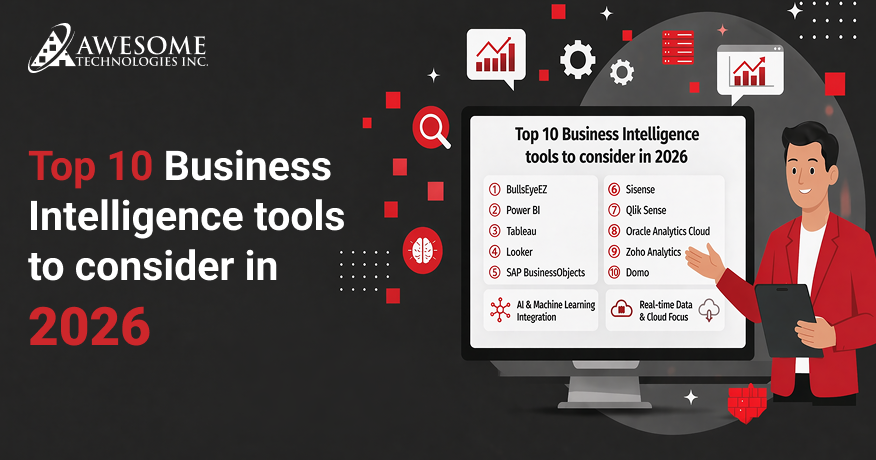
This guide will clarify what to look for when evaluating top 10 business intelligence tools and highlight some of the top BI platforms in 2026.
What is a Business Intelligent Tool?
Business Intelligence (BI) is a set of tools that enable businesses to analyze their data and make better business decisions. The purpose of BI tools is to provide an organization with actionable information from its data by collecting, processing and analyzing data from a variety of sources.
Modern BI platforms often include features like reporting, data integration, AI-driven insights, and interactive visualizations, helping both technical and non-technical users make faster decisions.
In simple terms, an intelligent business intelligence tool turns complex business data into clear insights that help companies improve efficiency, strategy, and overall performance.
Core Features of Best Business Intelligence Tools
- User-friendly self-service interface
- Accessible analytics using AI
- Natural language queries predictive analytics and ml
- Data visualization
- Collaborating and sharing in real time
- Governance, security, scalability of data
- Cross platform and mobile access of data flexible deployments
- Embedded analytics and white labeling
Benefits of Business Intelligence Tools
- Actionable insights
- Improved decision-making
- Improved data visualization
- Increased efficiency
- Better collaboration
- Competitive advantage
- Customizable reporting
What Business Intelligence Tools Actually Do?
Organizations are turning to Business Intelligence tools to better comprehend their data and make better, smarter decisions. The powerful BI technologies allow users to collect, store, manage, and analyze data using many methods across different company departments, industries, various users and devices.
These data analytics tools pull in all of a company’s data from multiple sources (including Customer Relationship Management systems, Enterprise Resource Planning systems, and databases). So, that anyone within a company can access and analyze all of that information collectively as per role-based permissions.
These tools also assist in the identification of different sales, marketing trends and opportunities based on sales history and provide insights. Moreover, the effective BI tools also offer predictive sales forecast projections supported by machine learning to assist businesses.
Why Does This Matters More Than Ever?
Data-rich companies are falling farther behind the businesses that effectively convert their raw data into actionable decisions.
Thereby, they have a greater chance of winning more customers, retaining those same customers, running their operations efficiently, and executing more effective marketing campaigns.
Reports that are delivered on a fixed schedule (e.g., monthly) or siloed analytics are no longer sufficient! If a marketing campaign is underperforming, you will want to know this within hours, not at the scheduled review conducted 30 days later!
Similarly, if a supply chain bottleneck occurs sometime, early detection is crucial before the situation escalates into a full-blown crisis!
Why Do Businesses Need Business Intelligence Tools?
Data has become easier to use across organisation’s with the use of BI reporting tools. Previously analysts requiring many different types of specialist knowledge would have been required for an organisation to be able to access their data in order to take action against it. Now any user of an organization can see up to the data using dashboards, visual reports and self-service.
According to Mordor Intelligence the Global Business Intelligence market is estimated to reach USD 41.16 Billion by 2026 and reach USD 62.38 Billion by 2031.
The growth rate is driven by growing amounts of data being created, increased cloud computing use and increased demand for access to their data.
How to Choose the Right BI Tool for Your Business?
Competition is fierce in this industry. To know which real-time data analytics tool is best for your company, know that it depends greatly on how large of an organization you have and whether or not your organization has attained technical maturity as well as how you plan to use the BI tool(s).
Below are some things to consider seriously beforehand:
- Data source compatibility
If custom BI tools cannot connect to the software you currently have it will not be of any value for you. Verify that the BI you are considering can connect natively to your CRM, cloud storage, databases and marketing stack first and foremost.
- Ease of use for non-technical teams
If analysts are the only ones in your organization who can build reports your organization has created a bottleneck. Search for business intelligence tools that provide you with an intuitive drag-and-drop interface and enough self-service capability that business end-users can use the BI platform without help from other departments.
- Scalability
Certain platforms perform well when your organization is small; however, they may become cost prohibitive or cumbersome to use as your data grows and/or your user base grows. Evaluate pricing models and performance benchmarks honestly for each BI platform you evaluate.
- Governance and security
With so many organizations handling sensitive customer information and/or financial information, the level of security has become a factor to be taken very seriously. As such, an acceptable level of security should be role-based access control, audit logging and compliance certification. These items should be considered as minimum requirements, not supplemental benefits.
- Total cost of ownership
Take into account the cost of implementation and maintenance as well as the time it will take to implement, whether you will need extra resources to implement and maintain the systems, and what other types of resources you will need to support your BI strategy.
- Data Visualization
Effective BI tools will allow users to quickly understand complex data using visualizations such as charts, graphs, dashboards, etc. Allowing users to visualize their data will enable them to identify trends and patterns quickly and to derive meaningful business insights without the need to dig deeply into technical issues.
- Integration
BI reporting tools need to be capable of connecting easily with other existing systems such as CRM systems, databases, cloud storage, etc. A perfect means of integrating all of the business data into one reporting environment ensures that the business will be able to analyze all of its information.
- Customization
A high-quality BI tool must allow users to customize their reports and metrics according to their own specific needs. This level of customization provides the ability to make each report relevant to the user and provides an ability for different departments/areas to utilize each of their BI tools in achieving their specific needs/goals.
- AI-driven Capabilities
Modern BI platforms use Artificial Intelligence (AI) to provide the user with automated insights on their business data, as well as to identify trends and correlations between different areas of their business. As a result, businesses can make more timely, data-based decisions as they have less manual analysis to perform on their data.
- Mobile Accessibility
Most modern BI tools offer mobile accessibility and allow users to access their dashboards and reports from a smartphone device or a tablet. This access allows managers to monitor their performance and act on insights they have gained via the BI tool, no matter where they are or what time of day it is.
You will need to conduct some more advanced analysis to determine how best to make your final decision on your custom BI solutions. Consider the following additional items:
1) Does it help in finding insights quickly?
Seek capabilities that assist you in determining patterns, performing comparisons, and creating AI-produced conclusions that indicate your next steps or identify issues needing resolution.
2) Can insights become an action?
A few BI platforms offer advanced automation or AI-driven workflows. For example, they are used to decrease ad expenditure on social media or change the audience for a specific campaign.
3) Is a large community or support network available?
A widely accepted solution typically has a forum and/or an extensive amount of support available if users encounter issues or require assistance.
Top 10 BI Tools 2026
1. BullsEyeEZ
BullsEyeEZ is a cutting-edge BI and data visualization solution providing data-driven businesses with the capability to convert raw data into actionable insights through unified reports and dashboards. This will allow organizations to track KPIs and utilize data in making decisions without using complex and time-consuming manual reports. It is a specialized Mortgage Business Intelligence (BI) platform designed for lenders, banks, and credit unions. Developed by Awesome Technologies Inc., it is part of the same suite of mortgage tools as E-Compensate. While E-Compensate handles commissions, BullseyeEZ focuses on turning raw loan data into actionable insights to help lenders identify bottlenecks and improve profitability.
Core Strengths:
Customizable business intelligence dashboards, data visualizations, excellent ability to track key performance indicators (KPIs) and the ability to integrate easily with existing systems.
Key Features:
- Interactive dashboards for executives
- Automated reporting
- Integration with multiple data sources
- Drill down into analytics
- Monitoring KPIs
- Configure visual reports
- Provide secure delivery of insight through role-based access.
Drawbacks:
This data analytics tool requires initial training for setup & config support,/setup/learnings for complex dashboards.
Best For:
Mid-sized to large organizations require centralized instances of the BI Dashboard for making robust enterprise-level decisions. The aim of BullsEyeEZ is to improve the ability of departments to track performance across business functions.
Used by companies:
- Marketing and Analytics agencies
- Financial Services
- Mid-Sized Technology Companies (typically companies with 11–200 employees)
- B2B SaaS Companies
Main Considerations: Website visitor intelligence, CRM enrichment and pipeline tracking
Reduced reporting time by: Reported internal use cases show reporting time improvements of up to 60–70%
- Enterprise BI dashboard implementations
- Enables KPI monitoring and centralized planning
Case Example:
The company was a medium-sized B2B services company that had a lot of reporting issues. It had three different reporting systems for sales CRM, spreadsheets and marketing tools.
Therefore, several employees were spending eight to ten hours a week (80) compiling reports manually each week.
So, it took longer for them and created inconsistencies from one department to the next.
By implementing BullsEyeEZ, the company was able to achieve:
- Access to KPI dashboards for all levels of leadership
- Sales and Marketing alignment through a single source of truth
- Significant reduction in manual errors in reporting
The result was improved pipeline visibility for the company plus increasing its overall operational efficiency without adding to the size of its analytics team.
2. Microsoft Power BI
Power BI is Microsoft’s business analytics platform that transforms raw, unrelated data into interactive, visually immersive insights. It is designed to be accessible for everyone, from non-technical business users to data professionals, allowing them to connect, model, and share data-driven reports. It’s a world-class Business Intelligence (BI) solution that turns raw datasets into real-time visualization insights and is designed for companies of all sizes. By seamlessly connecting with Excel and other Microsoft applications and over hundreds of connectors, organizations can use Microsoft Power BI as a single source of truth for reporting purposes.
Core Strengths:
- Low-cost price point (for cloud-based software)
- Excellent integration with other Microsoft products (e.g., Power Platform, etc.)
- Provides a high level of functionality through rich DAX modelling
Key Features:
- Dashboards that provide displays of information
- AI-powered QA capabilities
- Natural Language Querying options provided by Microsoft Copilot for Power BI
- Row-level security controls for data access.
Drawbacks:
- Power BI Desktop (Windows-only)
- Learning curve associated with DAX
- Premium priced products provide many advanced features beyond those found in the standard product.
Best For: Microsoft based businesses, Finance departments, and medium-sized (100 – 1000 employee) businesses that want to grow their reporting capabilities without spending huge sums on enterprise-level solutions.
Pricing: (Varies)
- Power BI Pro: $14.00 per user/month, paid yearly
- Premium Per User: $24.00 per user/month, paid yearly
- Microsoft Fabric Capacity: Starts at $262.80/month for the F2 SKU
When Not To Use:
- Heavy ETL and complex data engineering workflows are not the best use case.
- When you would like to utilize a service for printed reports but require pixel-perfect results.
3. Tableau
Tableau has long been one of the world’s leading data visualisation and business Intelligence tools, and is trusted by many analysts and businesses globally. It was recently acquired by Salesforce (2019) and offers ways to turn complex data sets into simple, easy to use and visually compelling dashboards without requiring extensive coding experience.
Core Strengths:
- Proven for exceptional visualisation flexibility
- Drag and drop interface
- Strong community support.
Key Features:
- Live and in-memory data connections
- Tableau pulse AI insights
- Natural language querying
- Salesforce native integration.
Drawbacks:
- High cost of licensing
- Learning curve for advanced features
- Limited native capability to transform data.
Best For: Data-driven enterprises, teams focused on visual storytelling, or organisations reliant on Salesforce but needing extensive analytical flexibility.
Price: (Depends)
- Tableau starting at: $15 (billed annually)
- Tableau enterprise: $35 (billed annually)
- Tableau + Bundle (Contact sales)
- Explorer: $42 per user
- Creator: $75
When Not To Use:
- When ETL is heavily reliant upon the platform being utilized
- Very limited capability for performing advanced programmatic customization (when compared to code-first)
- Limited budget
Power BI vs. Tableau (cost comparison)
| Name of License | Monthly Costs |
|---|---|
| Power BI Free | Free |
| Tableau Public | Free |
| Power BI Pro | $14 |
| Tableau Explorer | $42 per user |
| Power BI Premium | $24 per user |
| Microsoft Fabric SKU | Varies by capacity |
| Tableau Creator | $75 |
Disclaimer:
Pricing varies based on deployment, region, and enterprise agreements.
Example Use Case:
- A startup that needs a fast, low-cost way of creating dashboards from its Microsoft 365 system can benefit from powerBI
- If you are a large corporation looking for advanced and interactive analytics from your large datasets, choose Tableau.
4. Looker
Looker is a custom BI solution created by Google that is hosted in the cloud. It has a unique way of building a data model called “LookML”. What separates Looker from other BI solutions is that it enforces common definitions of metrics across an organization by centralizing metric definitions at the data level.
Core Strengths:
- Centralized data modeling
- Metrics governance by standardizing the way metrics are defined
- Integration with Google Cloud products.
Key Features:
- LookML data modeling language
- Embedded analytics
- Data exploration
- API-first architecture
- Native connectivity to BigQuery.
Drawbacks:
- Can be expensive if you want to begin with full functionality
- Has a steep learning curve for LookML users
- Requires a lot of technical skills to use it effectively.
Best For: Data-mature enterprises, Google Cloud users, and engineering-led teams prioritising governed, scalable analytics infrastructure.
Price:
- Standard: $35,000 per year (varies)
- Enterprise Edition: $150,000+ per year
- Embed Edition: $360,000+ per year
- User Licensing: Custom quote
When Not To Use:
- Low-cost/speedy setup tool
- Little SQL/modeling knowledge
- BI solution from Cloud Provider (Google)
Looker vs. Power BI (governance vs. ease of use)
| Aspect | Looker (Governance Focused) | Power BI (Convenience-focused) |
|---|---|---|
| Overview | The LookML modeling tool used by Looker allows for centralized data governance between Looker’s central data warehouse(s) and the customer’s reporting platform. | Power BI provides consumers a way to quickly analyze and create dashboards from data without the need for IT resources. |
| Governance | Establishing strong governance with centralized metrics across all areas of the business | It is possible to implement governance within Power BI, although without proper controls and management, potential inconsistencies may arise. |
| Ease of Use | Requires a higher degree of skill to use (e.g., data creation, modeling) vs. simple drag/drop reporting capability in Power BI. | Simple drag/drop reporting capability in Power BI. |
| Best Use Case | Best suited for enterprise organizations that require controlled, scalable, and dependable data models. | Best suited for teams that require immediate insight and ability to quickly adopt the tool without any technical knowledge. |
5. SAP BusinessObjects
SAP solutions, such as SAP Business Objects, offer a company-wide solution for Business Intelligence and have been around for longer than 20 years. In this time frame, many companies have successfully utilized Business Objects to produce business reports of all kinds (regardless of the company size). Business Objects has also been used as a formalized process of using enterprise data and providing governance over BI resources.
Core Strengths:
- Meet the needs of any size organization
- Strong Integration with SAP ERP System
- Mostly report oriented (Create pixel perfect reports)
SAP Business Objects as a solution is not as “cutting-edge” as today’s most recent self-service BI tools.
Key Features:
- Crystal Reports
- WebIntelligence
- Self-service dashboards
- Scheduled reports
- Multi-source data connectivity
Drawbacks:
- Old user interface
- Complex installation
- High licensing costs
- Platform is slower than other BI tools
Best For: Large firms that already have SAP ERP and will need to produce highly governed/regulated business intelligence on a large scale.
Price:
- Licensing ranges (depends on deployment model, contract (not fixed range)
When Not To Use SAP BusinessObjects:
- As a platform to analyze fast-evolving data
- To create high-interactive and agile data discovery
- With a new generation of cloud native architectures
- With limited technical resources and budget constraints
- To move from legacy technologies
6. Sisense
Sisense is a versatile real-time data analytics tool that provides both artificial intelligence and embedded data analytics as part of the platform. It is different from other platforms as it can manage large and complex datasets. It can reduce reliance on traditional data warehouses for certain use cases. It is mostly preferred by tech firms and SaaS businesses.
Core Strengths:
- Embedded analytics capability
- Ability to handle large and complex datasets
- An API-first designed solution
Key Features:
- Elasticube data engine
- White-label embedded dashboards
- Sisense Fusion, a tool powered by artificial intelligence
- Natural language querying capability
- Support for multi-cloud deployment.
Drawbacks: Some of the disadvantages of using Sisense include a high level of complication with the setup process, limited options for visualization right out of the box, and lack of clearly defined pricing for smaller businesses.
Best For: SaaS companies and technology firms wanting to embed analytics directly into their products will find Sisense to be a very useful tool.
Price:
- No official public fixed pricing
When Not to Use Sisense:
- Your budget is limited
- You have no dedicated technical resources
- Ultra-high frequency streaming analytics is required
7. Qlik Sense
Qlik Sense delivers an innovative way for businesses to access and utilize their data through its self-service analytical capabilities in addition to the powerful associative analytic engine that it is built upon. The associative analytic engine gives users the ability to explore their data without pre-defined queries or paths, so they may discover insights hidden in the underlying data which may not have otherwise been found.
Core Strengths: Qlik Sense provides an excellent associative data engine, a robust governed self-serve function, and flexible onboarding (both cloud-based and on-premise) deployment options among their core strengths.
Key Features:
- It is primarily enterprise-focused
- Associative data exploration with Qlik’s powerful associative data engine & Qlik AutoML
- Smart visualizations;
- Printing for pixel-perfect report generation
- Qlik Data Integration
Drawbacks: Some challenges for organizations considering Qlik will be; higher-than-average licensing fees; some centralized administration/management may be required; and a somewhat steeper learning curve than other modern self-service applications.
Best For: Overall, Qlik Sense is well-suited for; enterprises that require deeper, ungoverned data discovery; heavily regulated industries; and organizations that require both cloud-based and on-premise deployment alternatives.
Price: (Varies/depends)
- Business: Starting at $30/user/month
- Enterprise SaaS: Starting at $70/user/month
- Cloud Analytics: Starting at $2,700/month
- Legacy user-based pricing: Ranges from $33 – 165/user/month
When Not to Use Qlik Sense:
- Traditional OLAP cube users are expecting “Rigid” schemas.
- May require optimization for extremely large, streaming workloads
8. Oracle Analytics Cloud
Oracle Analytics Cloud is a SaaS analytic solution that provides businesses with everything they need for a successful BI environment: data preparation, advanced analytics and AI-driven insights. Many use this comprehensive analytics solution to evaluate their most significant datasets so they can make informed strategic business decisions throughout the organization.
Core Strengths:
- AI-enabled analytics
- Integrated within Oracle’s broader application ecosystem
- Supports organizations of all sizes.
Key Features:
- Augmented analytics
- Natural language query (NLQ)
- Interactive dashboards
- Machine learning
- Automated data preparation processes.
Drawbacks: Expensive licensing; complicated administration; steeper than average learning curve compared with AI-powered self-service tools.
Best For: Firms that need deep, ungoverned access to data; organizations in highly regulated industries, or that need to use hybrid cloud/on-premises solutions.
Price:
- Ranges from $16 to $80 per user
- Professional plan: $16 per user
- Enterprise plan: $80 per user
When Not to Use It:
- High costs and complicated setup won’t provide value
- Difficult to set up and maintain
- Not lightweight to implement
- You may not get full value out of the automation with integrations
9. Zoho Analytics
Zoho Analytics is an analytics and data visualization tool designed specifically as a self-service data analysis tool. Primarily utilized by small to mid-sized business enterprises (also known as SMEs), Zoho Analytics provides users with the ability to query and view data from multiple sources without a prior knowledge of any type of data analysis tools or programming languages. Zoho has also demonstrated its value to small to medium sized enterprises by helping teams that need to convert large amounts of unstructured data into usable structured data as quickly and with little or no prior skill.
Core Strengths:
- A low price for the business intelligence tool
- User-Friendly Operations
- To a moderate extent, self service reports.
Key Features:
- Dashboard creation via drag-and-drop functionality.
- Artificial intelligence assistant
- Data blending capability
- Scheduled reporting capability.
- Embedded analytic components for ease of access when required.
Drawbacks: The primary drawback of Zoho Analytics is that it does not have the capability to provide advanced levels of enterprise level analytics and has performance challenges with large-data volumes.
Best For: Zoho Analytics is designed specifically for use by small to medium sized businesses that want an easy-to-use and affordable analytics tool.
Price:
- Starting $24 per month
- Standard plan: Priced at $60/month
- Premium plan: Priced at $145/month
- Starter plan: Available at $49/month
When Not To Use It:
- If you have a large amount of data → performance can become a limiting factor
- If you require high-level analysis or governance for your organization
- If you have a use case that requires heavy processing at scale
- If you are building a complex data model that requires extensive customization
10. Domo
Domo is a cloud-based platform that focuses on connecting to, visualizing and taking action on current data. It provides organizations using Domo with business intelligence and Data Experience to bring their multiple data together through Interactive dashboard, unify and visualize use of their data in an Interactive way, and then take action on that data with other employees in the organization. This allows users to see how their organization is performing, making in bringing together an organization’s data.
Core Strengths:
- Greatly Scale in the Cloud Large
- 3rd Party Integration Ecosystem.
Key Features:
- Live Dashboards
- Data Pipeline
- Integrations to Cloud Based Data Sources
- AI Generated Insights and Alerts
- Custom Alerts
- Mobile First Analytics.
Drawbacks: Domo could be expensive when your company grows, may require you to train someone to utilize its more advanced features, could be difficult to learn and utilize if used within a small team/company.
Best For: Domo is most appropriate for medium-large businesses and companies looking for highly connected Analytical Information across all Functional and Data Systems.
Price:
- Standard plan: $83 per user
- Enterprise plan: $150 – 300 per user
When Not To Use It:
- If you have limited funds budgeting, pricing may go up rapidly with increased usage.
- If you have a small or non-technical organization, the design might seem confusing to you.
- If you only require basic data and no automation.
- If you only require simple reporting rather than a complete data solution.
Business Intelligence Tools Comparison 2026
| Aspect | Power BI | Tableau | Looker |
|---|---|---|---|
| Ease Of Use | Very easy to use; uncomplicated to operate for beginners | Moderate; easy-to-follow graphics, steep learning curve to master experience | Technical; needs work with creating the data model (LookML) |
| Core Strength | Affordable + integrates w/Microsoft | Top quality graphics | Good levels of controls & enterprise metrics |
| Data Handling | Support for small–large datasets | Great for complex visual analytics | Designed to be used with large data sets within a cloud-based environment |
| Customization | High use w/DAX | High visual reporting storytelling | High data based on dev support, mid data. |
| Pricing | Low-Moderately high | Mid-high | High (enterprise |
| Best For | SMBs, Microsoft users | Data analysts, visualization-heavy teams | Enterprises needing strict data governance |
Quick takeaway:
- You should look to use Power BI, as it will be the easiest and cheapest tool to start using.
- If you are looking to do advanced visual storytelling with your data, you should look to use Tableau.
- For a highly governed BI tool that can use large amounts of data and is built to scale, we suggest that you use Looker.
Industry Expertise: Choosing BI
When evaluating which tool best fits your business case, you should consider the industry you are in, as there is no single tool that can fit all industries.
- Mortgage and Financial Services: Companies in this industry need tools (Power BI & SAP BusinessObjects) that offer strong governance, compliance and structured reporting.
- SaaS & Tech Companies: Embedded analytics and product performance tracking are key for SaaS and tech companies, which is why they are using Looker and Sisense.
- Retail & E-commerce: Tableau and Domo are both excellent choices for retail and eCommerce companies due to their capacity for creating visual dashboards and providing insights into customers, as well as being able to conduct data analyses quickly.
Takeaway: When making a decision regarding which BI tool to use, it should be based on your industry. Please do not solely choose a BI tool based on its overall popularity or market share.
Wrapping Up
AI-Based Business Intelligence is not simply the latest trend; but rather, it is becoming the standard way businesses access, interpret and act on their data.
Companies today have BI solutions in place, but what differentiates organizations is whether or not those BI solutions are capable of delivering timely, reliable and usable insights across their entire organization.
As organizations evolve into 2026, success will come from data quality and governance; as well as how well users adopt these solutions. Organizations that utilize AI-enabled BI will have increased speed in decision-making, better utilization of resources, and higher ROI.
Contact us today to schedule a demonstration of our Power BI development services and how we can help you create interactive dashboards, automate reporting and provide data-backed insights.
FAQs
1. Do I need a data warehouse for BI?
It isn’t a must, but it is very advisable for businesses that have large data sets. A data warehouse will assist in a more efficient manner to consolidate all the different sources of data into a single repository, which provides a faster, more reliable, and consistent source of truth for reporting.
2. How much do BI tools cost?
There are many different types of BI tools available, ranging from low-end monthly subscription based solutions that usually cost between $10-$50 per user/month to high-end enterprise-level subscription based systems that can cost hundreds or thousands of dollars.
3. How long does it take to implement a BI tool?
The length of time it will take for implementation of the business intelligence tool will vary from several days to several months, depending on how quickly the tool can be set up.
4. What common challenges should I expect when implementing a BI tool?
There are 3 primary barriers as you navigate your implementation of BI: data quality issues, integration issues and insufficient end user adoption. As such, inconsistencies with your data sources, lack of training and resistance to change could all hinder your progress toward implementing BI.
5. What are the deployment considerations for BI software in cloud, on-premises, or hybrid environments?
Organizations require the following to help in determining where to deploy their cloud BI software: security, cost, and control. Cloud BI is flexible and scalable; however, on-premises solutions provide the most control and flexibility and hybrid deployments can provide a balance based on business needs.
6. How do I assess the scalability and performance of a BI tool for large datasets?
In order to evaluate how quickly BI tools can process and deliver results on large quantities of data, organizations should evaluate how BI tools process and deliver on large volumes of data along with how they deliver their results. BI tools should have the ability of cloud computing and process real-time or large quantities of data without lag time.
7. Can business intelligence software handle data from diverse sources and formats?
Most BI applications are designed and built to integrate and combine multiple sources of data from multiple systems such as CRM software, ERP systems, cloud-based applications and spreadsheets.